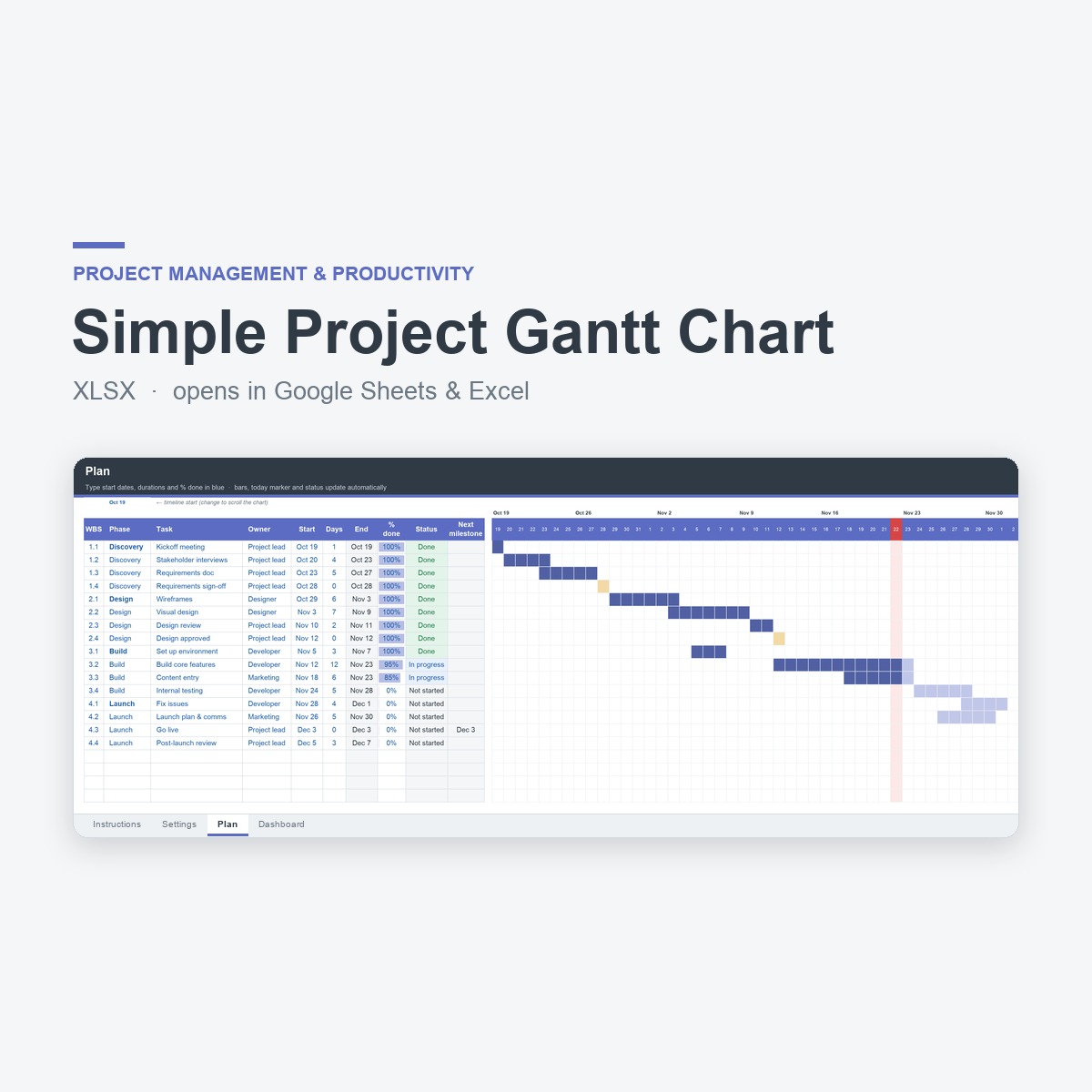
Simple Project Gantt Chart | Google Sheets Template
$17
⤓ Digital download · Templates / files · 20 KB
- 4 tabs: Instructions, Settings, Plan, Dashboard
- XLSX
- Personal use
- Works with Microsoft Excel 2016+; import into Google Sheets (File → Import)
A clean, simple Gantt chart that turns a task list into a visual day-by-day schedule without any add-ons.
What's inside
- Settings: project name, start date, project manager and lists for phases and owners
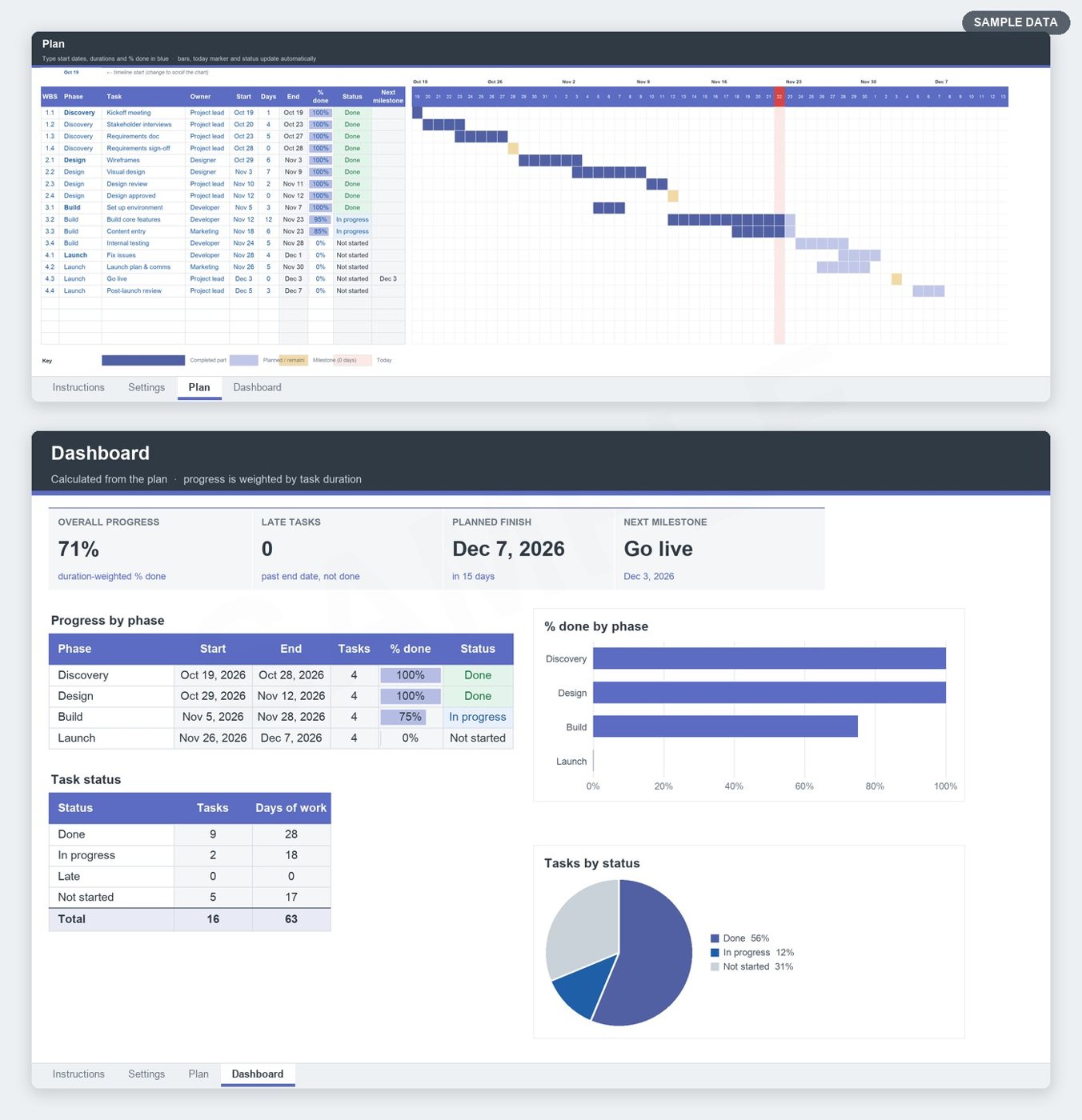
- Plan: 16 sample tasks in four phases (discovery, design, build, launch) with WBS number, owner, start date, duration in days, automatic end date, % done with data bars and an automatic status (Done, Late, In progress, Not started); an 8-week daily timeline shades each task's bar, darkens the completed part, marks milestones in gold and highlights today; change one date to scroll the window
- Dashboard: KPI tiles for overall progress, late tasks, planned finish and next milestone, a progress table by phase with start, end and % done, a task status table and charts
Everything is plain formulas and conditional formatting, so it works the same in Google Sheets and Excel. Download the XLSX and import it into Google Sheets (File → Import) or open it in Excel.
What's included
- MVGS-0145_simple-project-gantt-chart.xlsx (4 tabs: Instructions, Settings, Plan, Dashboard)
- README.txt (import steps for Google Sheets and Excel, tab guide, license)
Delivered instantly as a download after purchase (ZIP, 20 KB)
Free preview
License: Personal use only. Don't resell or share the files.
Returns: Final sale. If the file is missing, won't open in the advertised format or isn't as described, report it within 30 days of purchase and the seller sends a working file within 5 business days or refunds you.
Interested? Ask the seller
Send a message and Sheet Experts will reply by email to arrange your order.
Reviews
No reviews yet. Buyers can review this product from their order page after buying.