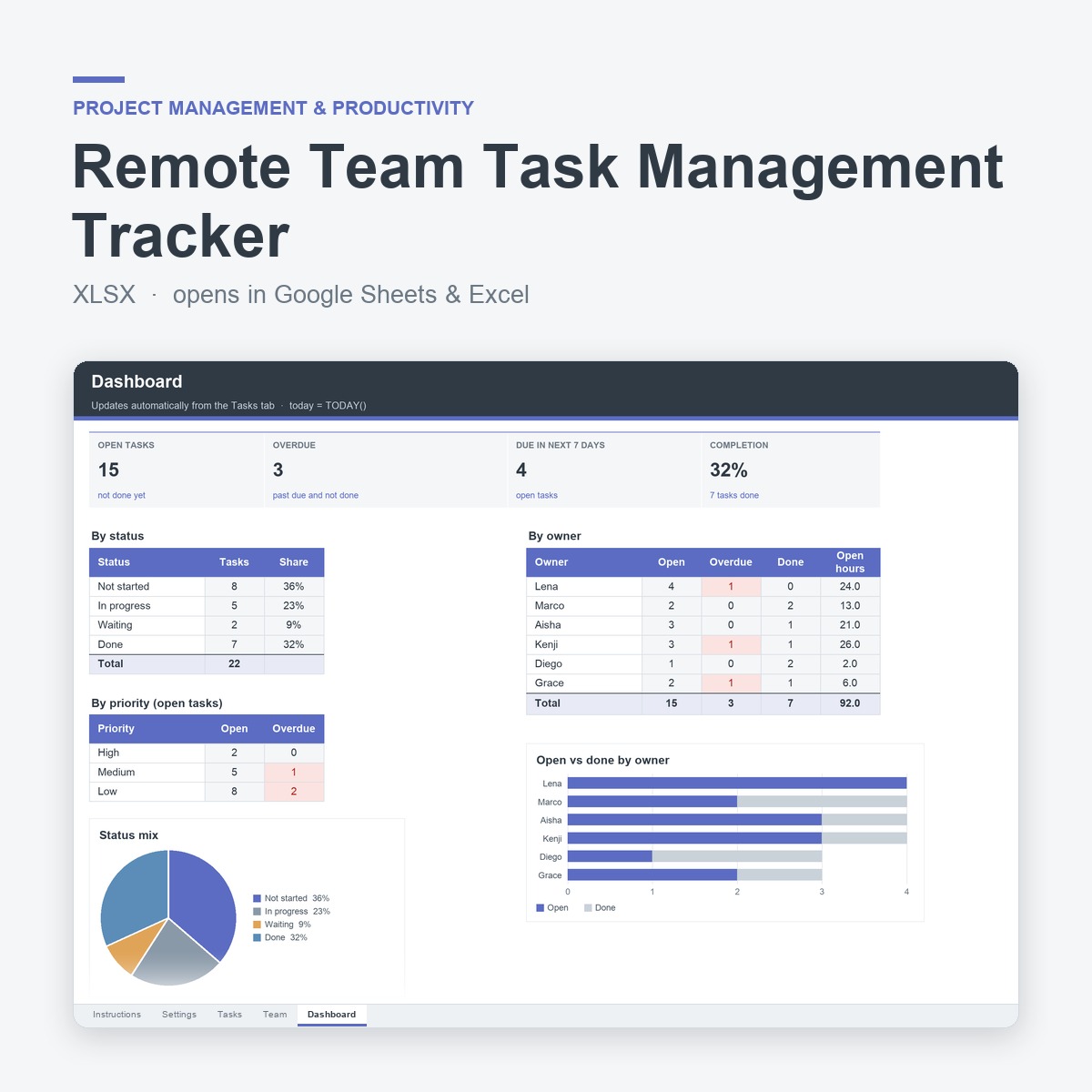
Remote Team Task Management Tracker | Google Sheets Template
$12
⤓ Digital download · Templates / files · 24 KB
- 5 tabs: Instructions, Settings, Tasks, Team, Dashboard
- XLSX
- Personal use
- Works with Microsoft Excel 2016+; import into Google Sheets (File → Import)
A task tracker built for remote and distributed teams, where knowing who is blocked and whose updates have gone quiet matters as much as due dates.
What's inside
- Settings: team name, core-hours zone and window, a staleness threshold, lists, and a team directory with location, UTC offset and local working hours
- Tasks: 22 sample tasks across product, support, growth and ops with owner, priority, status, dates, hours, % done, last update, Blocked?, Days left, Flag and a Fresh / Stale update check
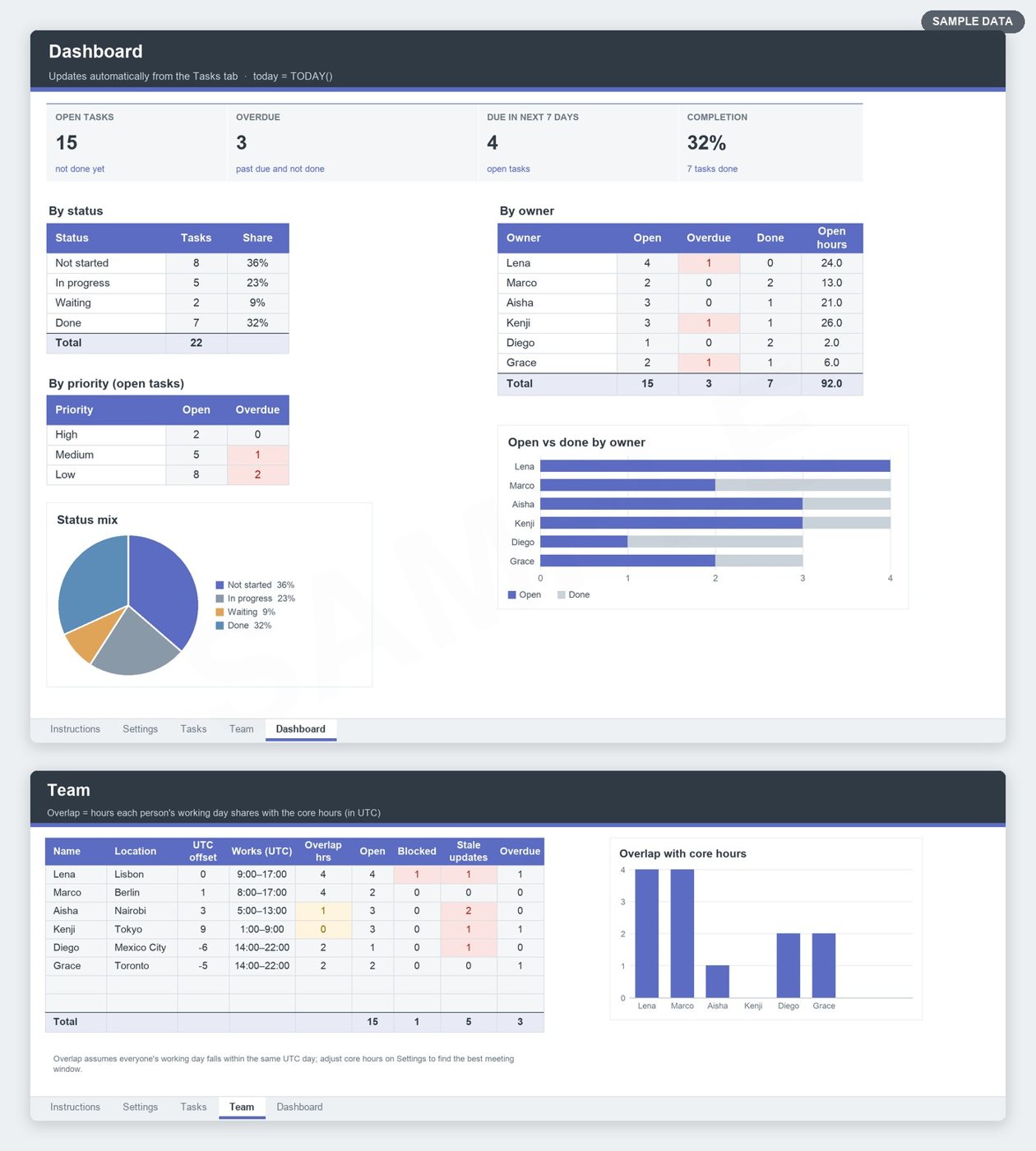
- Team: each person's working hours converted to UTC, hours of overlap with core hours, plus open, blocked, stale and overdue counts and an overlap chart
- Dashboard: open, overdue, due-in-7-days and completion tiles, status and priority tables, workload by owner and charts
Download the XLSX and import it into Google Sheets (File → Import) or open it in Excel.
What's included
- MVGS-0144_remote-team-task-management-tracker.xlsx (5 tabs: Instructions, Settings, Tasks, Team, Dashboard)
- README.txt (import steps for Google Sheets and Excel, tab guide, license)
Delivered instantly as a download after purchase (ZIP, 24 KB)
Free preview
License: Personal use only. Don't resell or share the files.
Returns: Final sale. If the file is missing, won't open in the advertised format or isn't as described, report it within 30 days of purchase and the seller sends a working file within 5 business days or refunds you.
Interested? Ask the seller
Send a message and Sheet Experts will reply by email to arrange your order.
Reviews
No reviews yet. Buyers can review this product from their order page after buying.