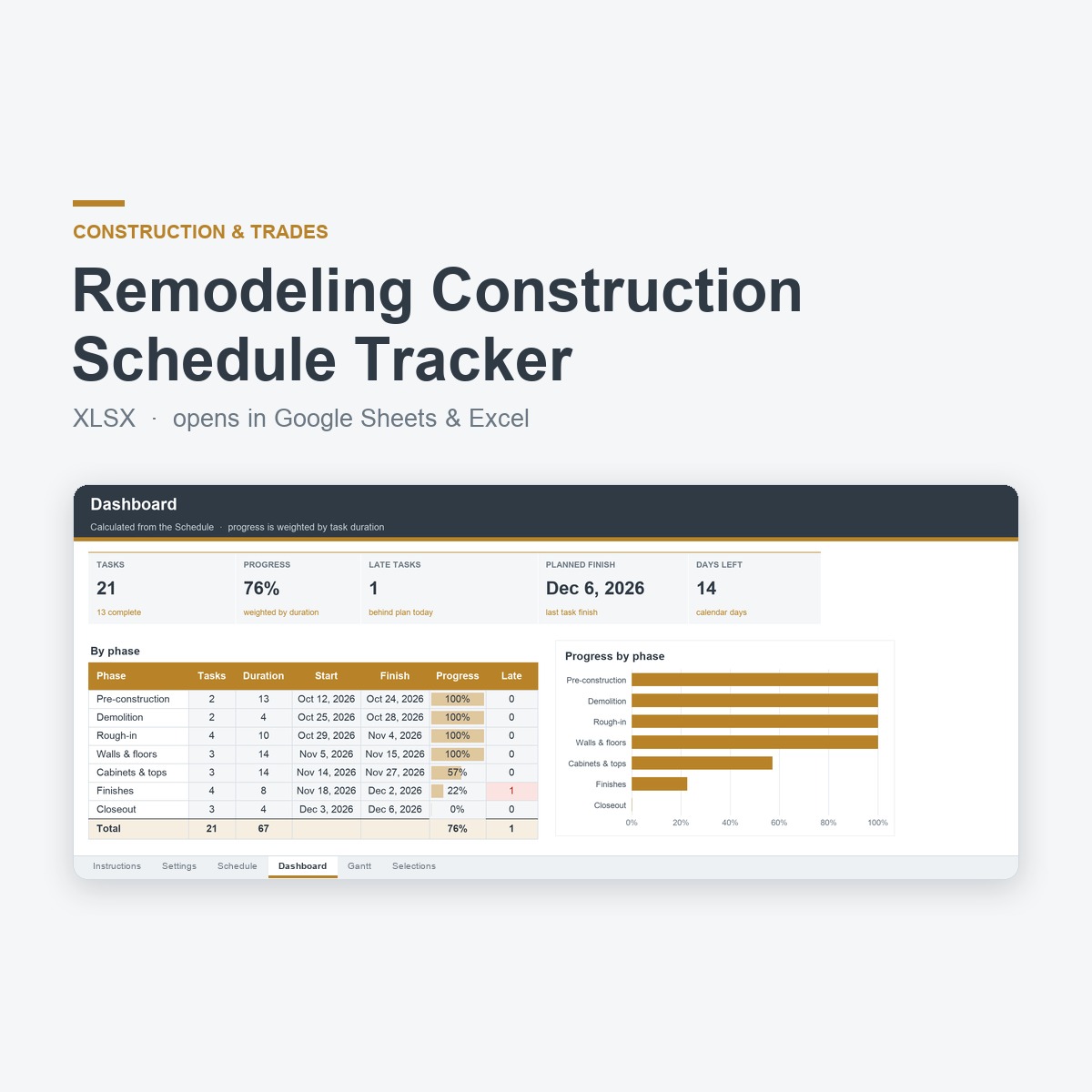
Remodeling Construction Schedule Tracker | Google Sheets Template
$12
⤓ Digital download · Templates / files · 27 KB
- 6 tabs: Instructions, Settings, Schedule, Dashboard, Gantt, Selections
- XLSX
- Personal use
- Works with Microsoft Excel 2016+; import into Google Sheets (File → Import)
Remodels run on lead times. This remodeling construction schedule tracker links every task to its predecessor and connects client selections to the schedule, so you know what has to be ordered and when.
What's inside
- Settings: project start, first Gantt week, holidays and dropdowns for 7 phases and 10 trades
- Schedule: 21 sample tasks for a kitchen and main-bath remodel, from design sign-off and permits to handover, with predecessor, lag, duration, calculated start and finish, work days, % done, status and days late
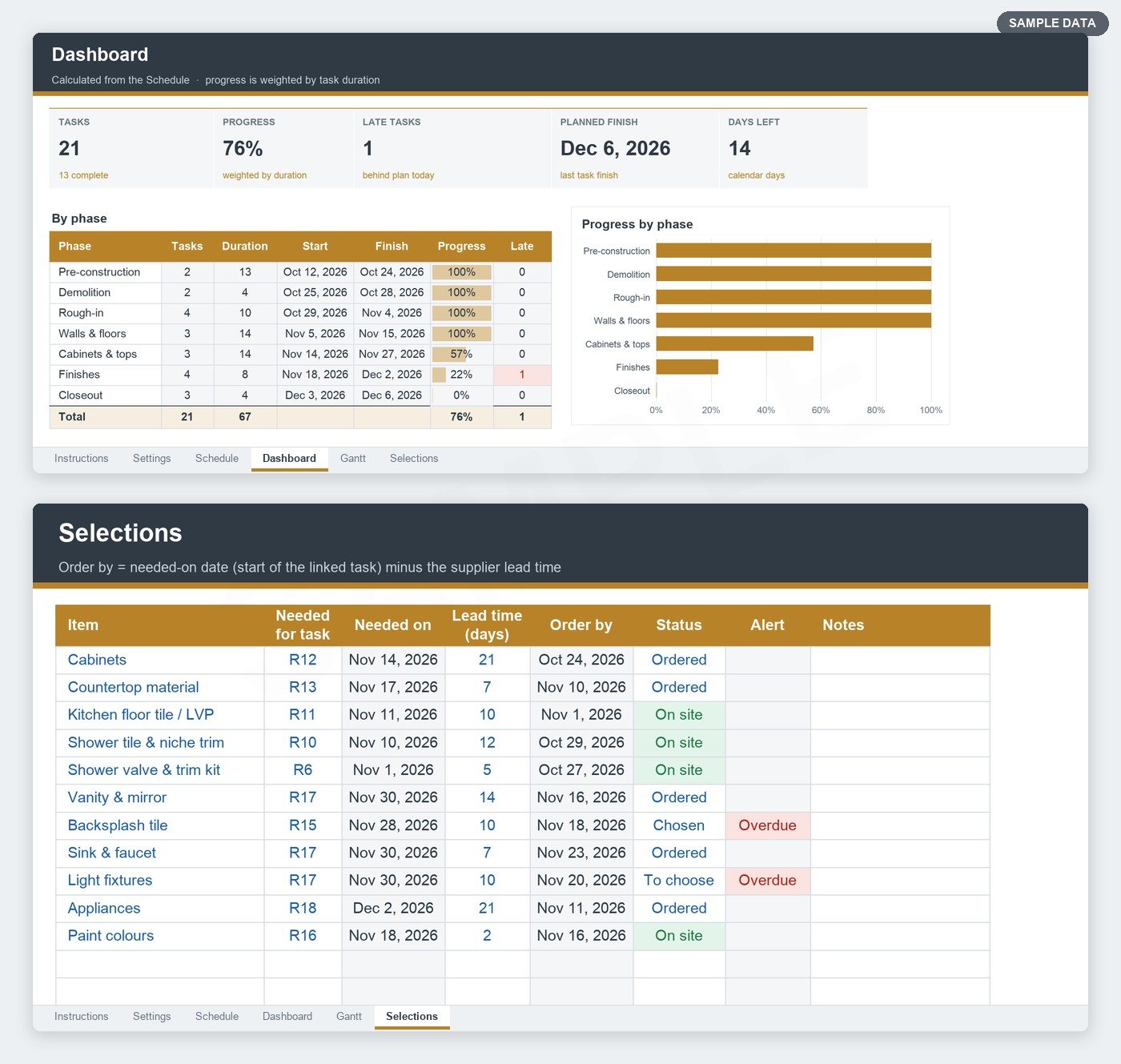
- Selections: 11 client choices (cabinets, countertops, tile, fixtures, appliances) with needed-on date from the schedule, lead time, order-by date and overdue alerts
- Dashboard: KPI tiles, phase table with progress bars and a chart
- Gantt: a 14-week formula-driven bar view with the current week highlighted
All dates are sample data. Download the XLSX and import it into Google Sheets (File → Import) or open it in Excel.
What's included
- MVGS-0460_remodeling-construction-schedule-tracker.xlsx (6 tabs: Instructions, Settings, Schedule, Dashboard, Gantt, Selections)
- README.txt (import steps for Google Sheets and Excel, tab guide, license)
Delivered instantly as a download after purchase (ZIP, 27 KB)
Free preview
License: Personal use only. Don't resell or share the files.
Returns: Final sale. If the file is missing, won't open in the advertised format or isn't as described, report it within 30 days of purchase and the seller sends a working file within 5 business days or refunds you.
Interested? Ask the seller
Send a message and Sheet Experts will reply by email to arrange your order.
Reviews
No reviews yet. Buyers can review this product from their order page after buying.