Personal Team Workload Planner | Google Sheets Template
$12
⤓ Digital download · Templates / files · 24 KB
- 6 tabs: Instructions, Settings, Commitments, Hours by Week, Weekly Load, Dashboa
- XLSX
- Personal use
- Works with Microsoft Excel 2016+; import into Google Sheets (File → Import)
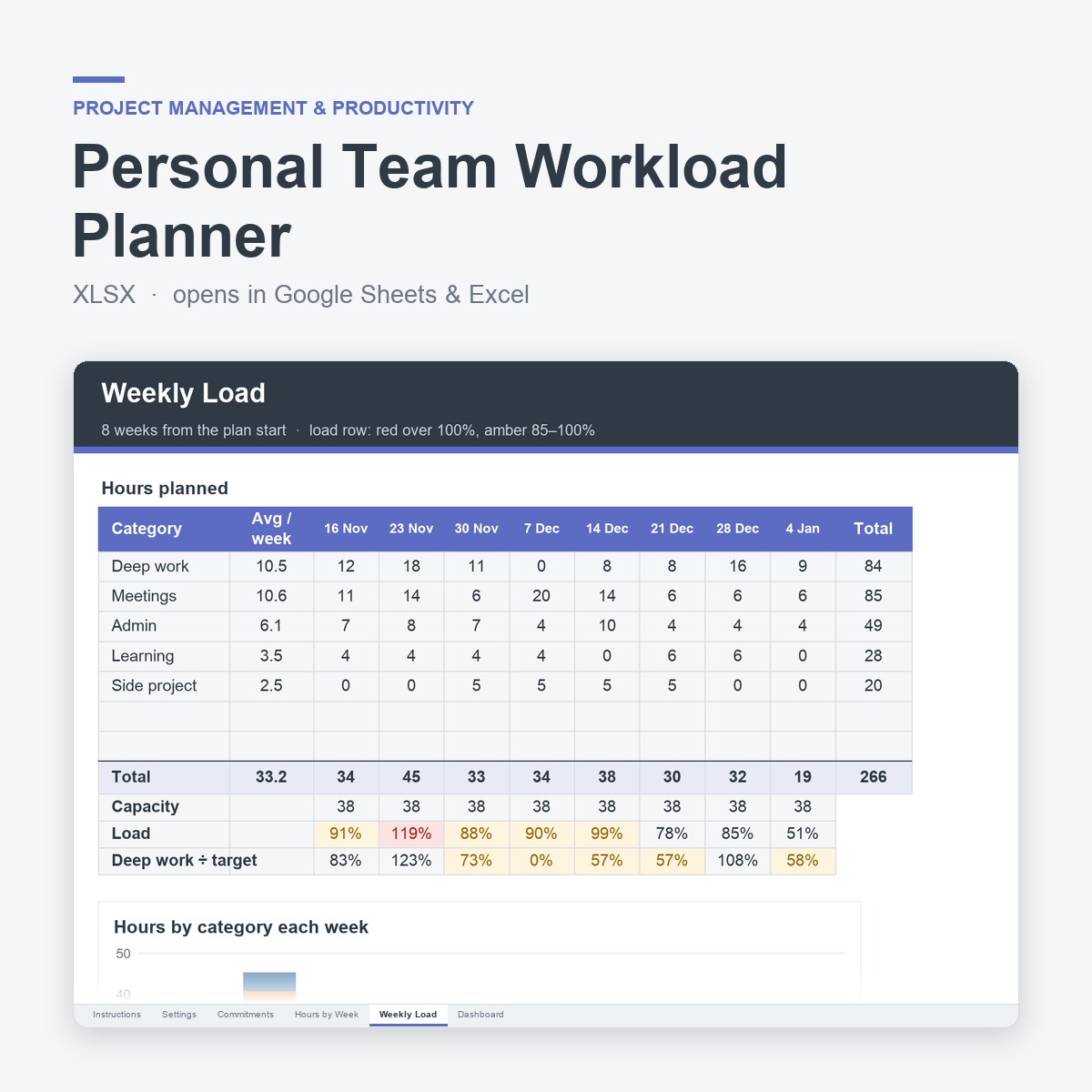
Stop saying yes to more than fits in your week. This personal workload planner shows exactly how many hours you have committed for each of the next eight weeks and what kind of work they are.
What's inside
- Settings: plan start, weekly hours you can plan, deep-work target, and category, project and status lists
- Commitments: 17 sample commitments (reports, 1:1s, hiring, learning, a side project) with category, dates, estimated hours and status; work days and hours per day are formulas
- Hours by Week: helper grid splitting each commitment into weeks by working days
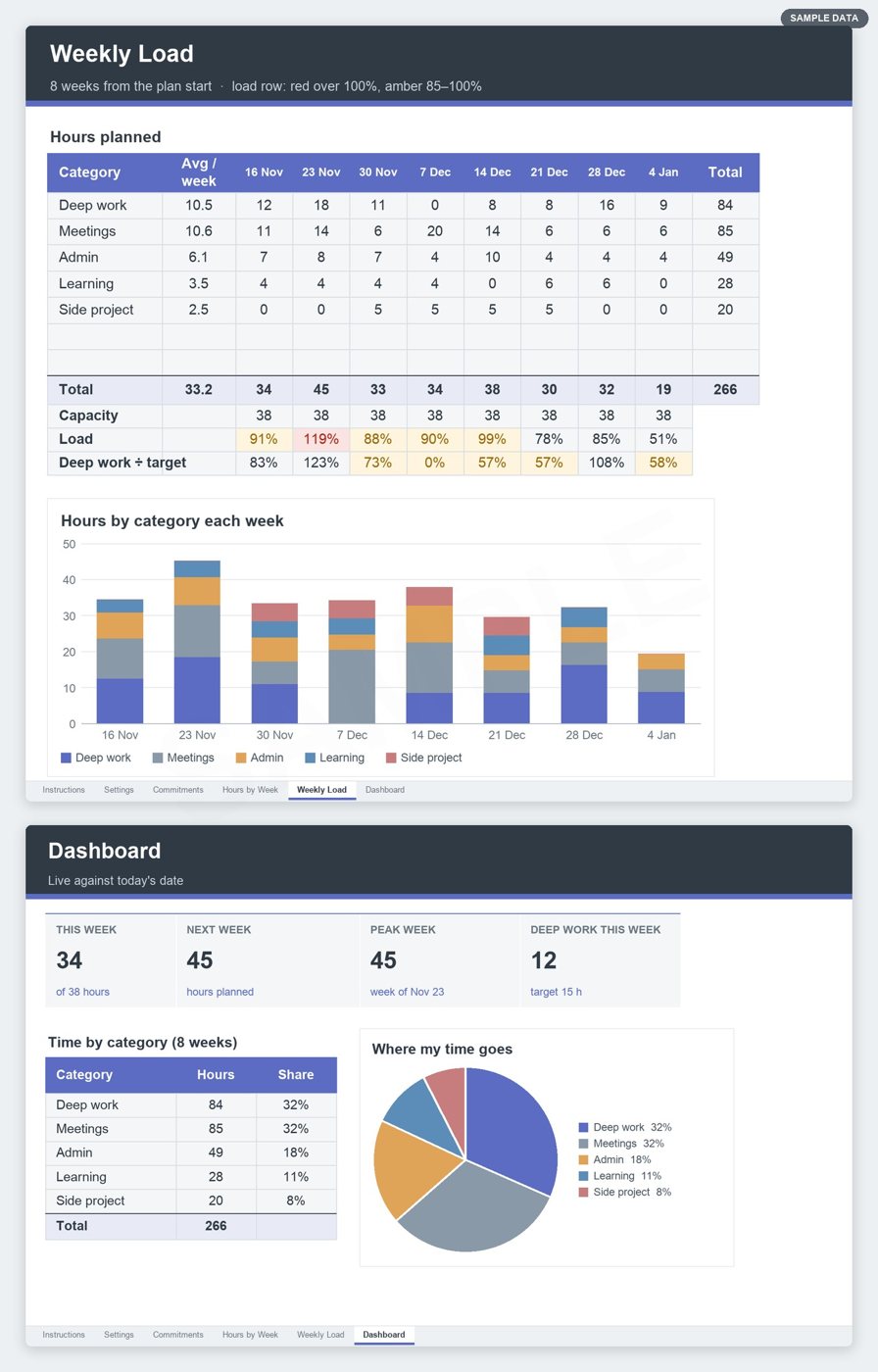
- Weekly Load: hours per category per week, a capacity and load row (red over 100%), deep work vs target and a stacked chart by category
- Dashboard: this week, next week, peak week and deep work this week tiles, plus time by category with a pie chart
Sample data only. Download the XLSX and import it into Google Sheets (File → Import) or open it in Excel.
What's included
- MVGS-0156_personal-team-workload-planner.xlsx (6 tabs: Instructions, Settings, Commitments, Hours by Week, Weekly Load, Dashboard)
- README.txt (import steps for Google Sheets and Excel, tab guide, license)
Delivered instantly as a download after purchase (ZIP, 24 KB)
Free preview
License: Personal use only. Don't resell or share the files.
Returns: Final sale. If the file is missing, won't open in the advertised format or isn't as described, report it within 30 days of purchase and the seller sends a working file within 5 business days or refunds you.
Interested? Ask the seller
Send a message and Sheet Experts will reply by email to arrange your order.
Reviews
No reviews yet. Buyers can review this product from their order page after buying.