Monthly Team Workload Planner | Google Sheets Template
$12
⤓ Digital download · Templates / files · 36 KB
- 6 tabs: Instructions, Team, Assignments, Hours by Month, Monthly Load, Dashboard
- XLSX
- Personal use
- Works with Microsoft Excel 2016+; import into Google Sheets (File → Import)
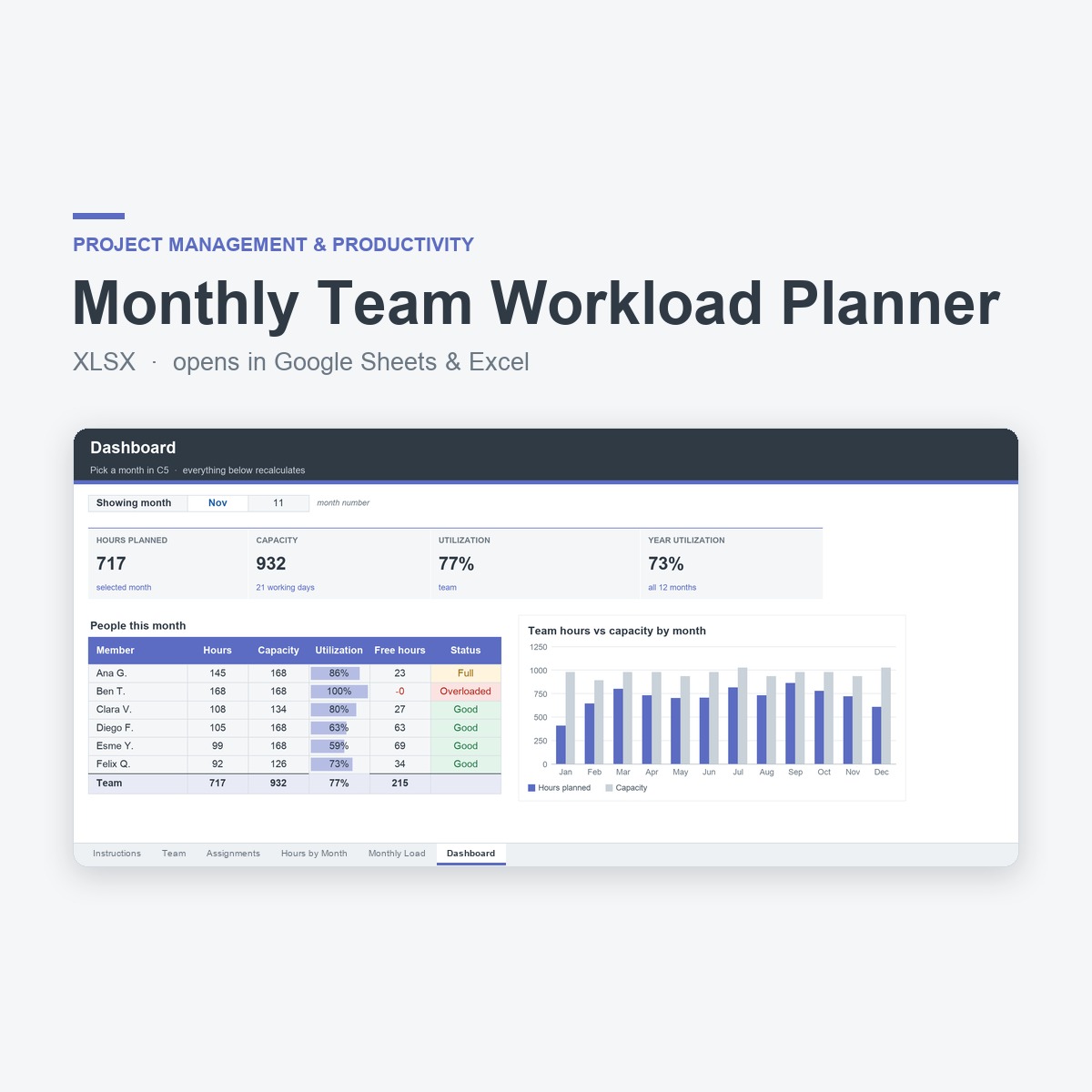
Plan a full year of team capacity month by month. This monthly team workload planner turns dated assignments into hours per person per month and compares them with real working-day capacity.
What's inside
- Team: plan year, six sample members with role and weekly capacity, project, status and month lists
- Assignments: a year of sample work with project, person, start and end dates, estimated hours and status; work days and hours per day are formulas
- Hours by Month: a helper grid splitting every assignment into months with NETWORKDAYS
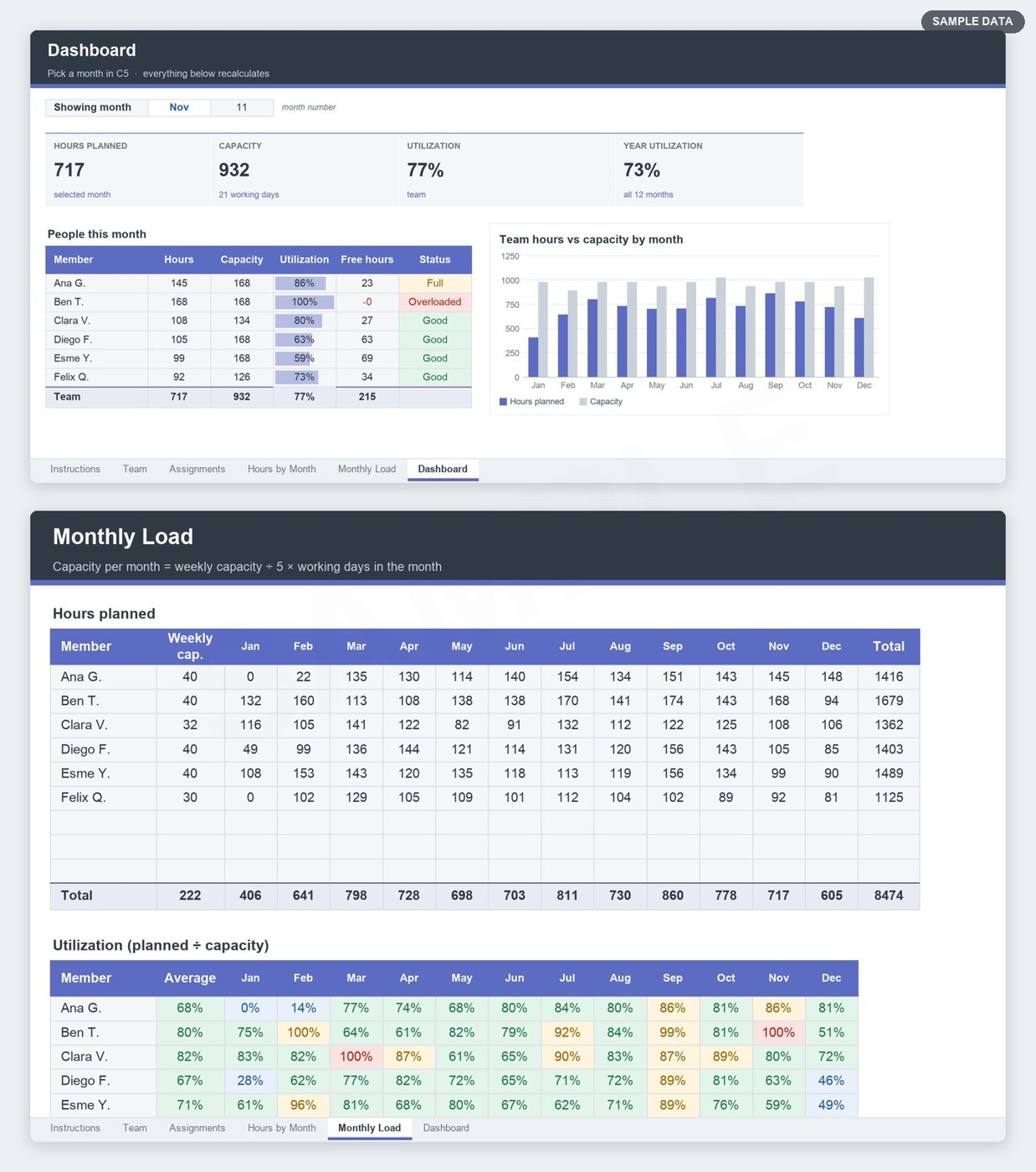
- Monthly Load: hours per person per month, a colour-coded utilization heatmap and team capacity per month (weekly capacity ÷ 5 × working days)
- Dashboard: month picker, KPI tiles (hours, capacity with working days, utilization, year utilization), a per-person table with free hours and Overloaded / Full / Good / Has room status, and an hours vs capacity chart
Sample data only. Download the XLSX and import it into Google Sheets (File → Import) or open it in Excel.
What's included
- MVGS-0154_monthly-team-workload-planner.xlsx (6 tabs: Instructions, Team, Assignments, Hours by Month, Monthly Load, Dashboard)
- README.txt (import steps for Google Sheets and Excel, tab guide, license)
Delivered instantly as a download after purchase (ZIP, 36 KB)
Free preview
License: Personal use only. Don't resell or share the files.
Returns: Final sale. If the file is missing, won't open in the advertised format or isn't as described, report it within 30 days of purchase and the seller sends a working file within 5 business days or refunds you.
Interested? Ask the seller
Send a message and Sheet Experts will reply by email to arrange your order.
Reviews
No reviews yet. Buyers can review this product from their order page after buying.