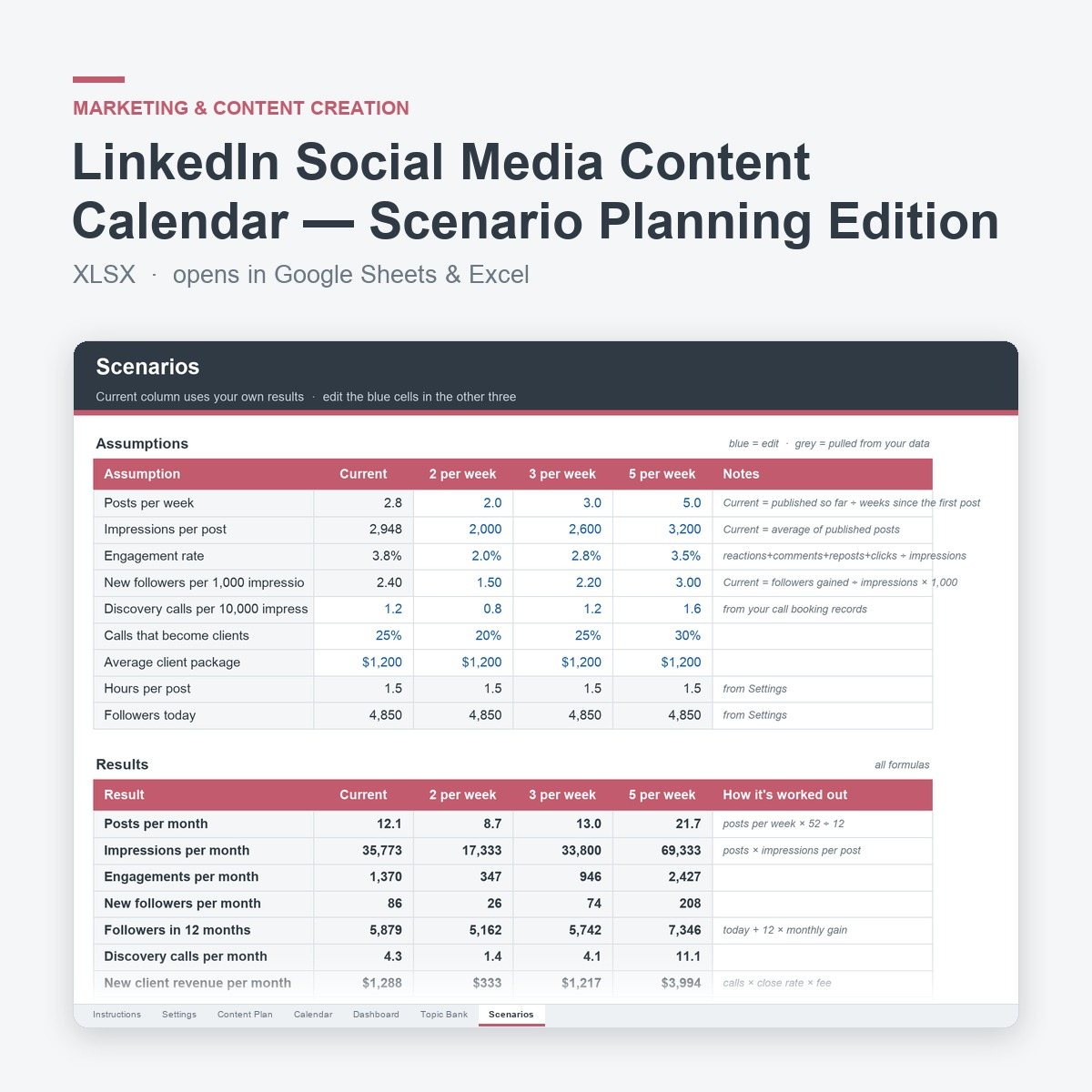
LinkedIn Social Media Content Calendar — Scenario Planning Edition | Google Sheets Template
$19
⤓ Digital download · Templates / files · 38 KB
- 7 tabs: Instructions, Settings, Content Plan, Calendar, Dashboard, Topic Bank, S
- XLSX
- Personal use
- Works with Microsoft Excel 2016+; import into Google Sheets (File → Import)
Decide how often to post on LinkedIn with numbers, not guesses. This edition of our LinkedIn content calendar adds a Scenarios tab that projects what two, three or five posts a week could do, starting from your real results.
What's inside
- Settings: profile name, year, weekly goal, current followers, hours per post and dropdown lists (pillars, formats, status, owners, topics, CTAs)
- Content Plan: date, time, pillar, format, opening line, topic, CTA, owner, status, impressions, reactions, comments, reposts, clicks and followers gained; engagement rate and flags are formulas
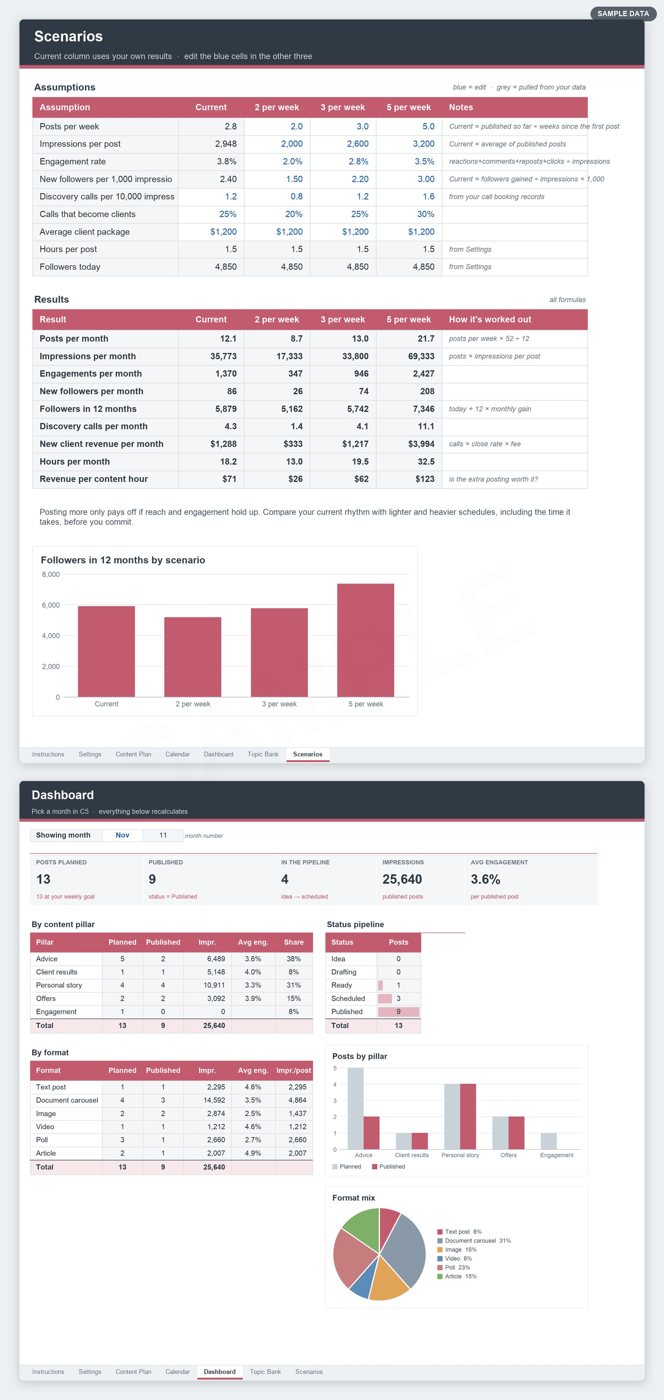
- Calendar, Dashboard and Topic Bank: month grid, KPI tiles, pillar / format / status tables, charts and per-topic performance
- Scenarios: a Current column calculated from your published posts (posts per week, impressions per post, engagement rate, followers per 1,000 impressions) next to three editable rhythms; results show monthly posts, impressions, engagements, new followers, followers in 12 months, discovery calls, client revenue, hours and revenue per content hour, with a chart
Sample posts for a career coach. Download the XLSX and import it into Google Sheets or open it in Excel.
What's included
- MVGS-0377_linkedin-social-media-content-calendar-scenario-planning-edition.xlsx (7 tabs: Instructions, Settings, Content Plan, Calendar, Dashboard, Topic Bank, Scenarios)
- README.txt (import steps for Google Sheets and Excel, tab guide, license)
Delivered instantly as a download after purchase (ZIP, 38 KB)
Free preview
License: Personal use only. Don't resell or share the files.
Returns: Final sale. If the file is missing, won't open in the advertised format or isn't as described, report it within 30 days of purchase and the seller sends a working file within 5 business days or refunds you.
Interested? Ask the seller
Send a message and Sheet Experts will reply by email to arrange your order.
Reviews
No reviews yet. Buyers can review this product from their order page after buying.