Boutique Inventory Management Tracker | Google Sheets Template
$17
⤓ Digital download · Templates / files · 49 KB
- 6 tabs: Instructions, Settings, Products, Stock Movements, Seasons & Sizes, Dash
- XLSX
- Personal use
- Works with Microsoft Excel 2016+; import into Google Sheets (File → Import)
Fashion stock is all about sizes, seasons and markdowns. This boutique inventory tracker handles each style-colour-size as its own SKU and shows how every season is selling.
What's inside
- Settings: boutique, year, category, season and size lists and movement types
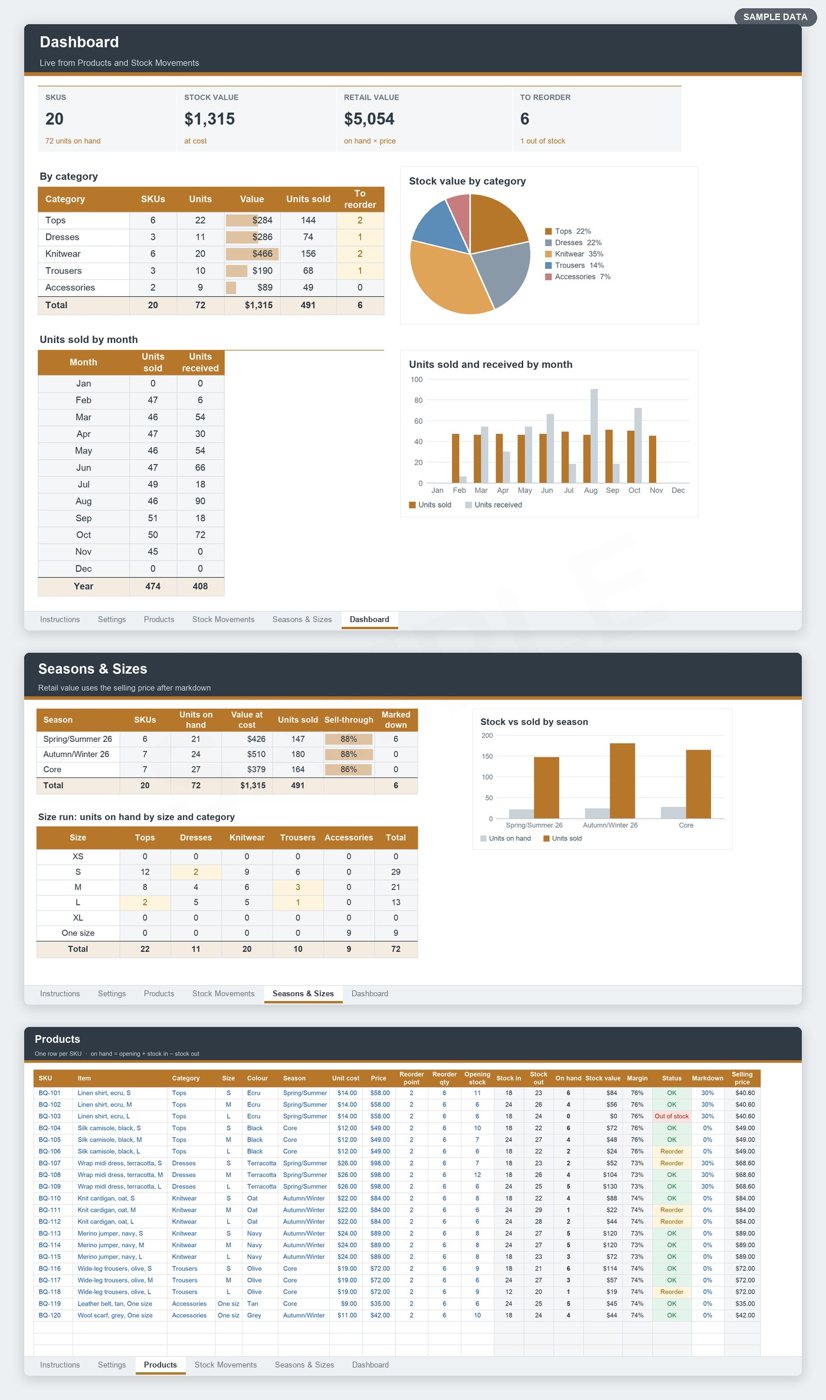
- Products: 20 sample SKUs (shirts, dresses, knitwear, trousers, accessories) with size, colour, season, cost, price, reorder levels and markdown; on hand, value, margin, selling price after markdown and status calculate
- Stock Movements: sample deliveries, sales and adjustments from February to November
- Seasons & Sizes: per season SKUs, units on hand, value, units sold, sell-through and marked-down SKUs, a size run by category and a chart
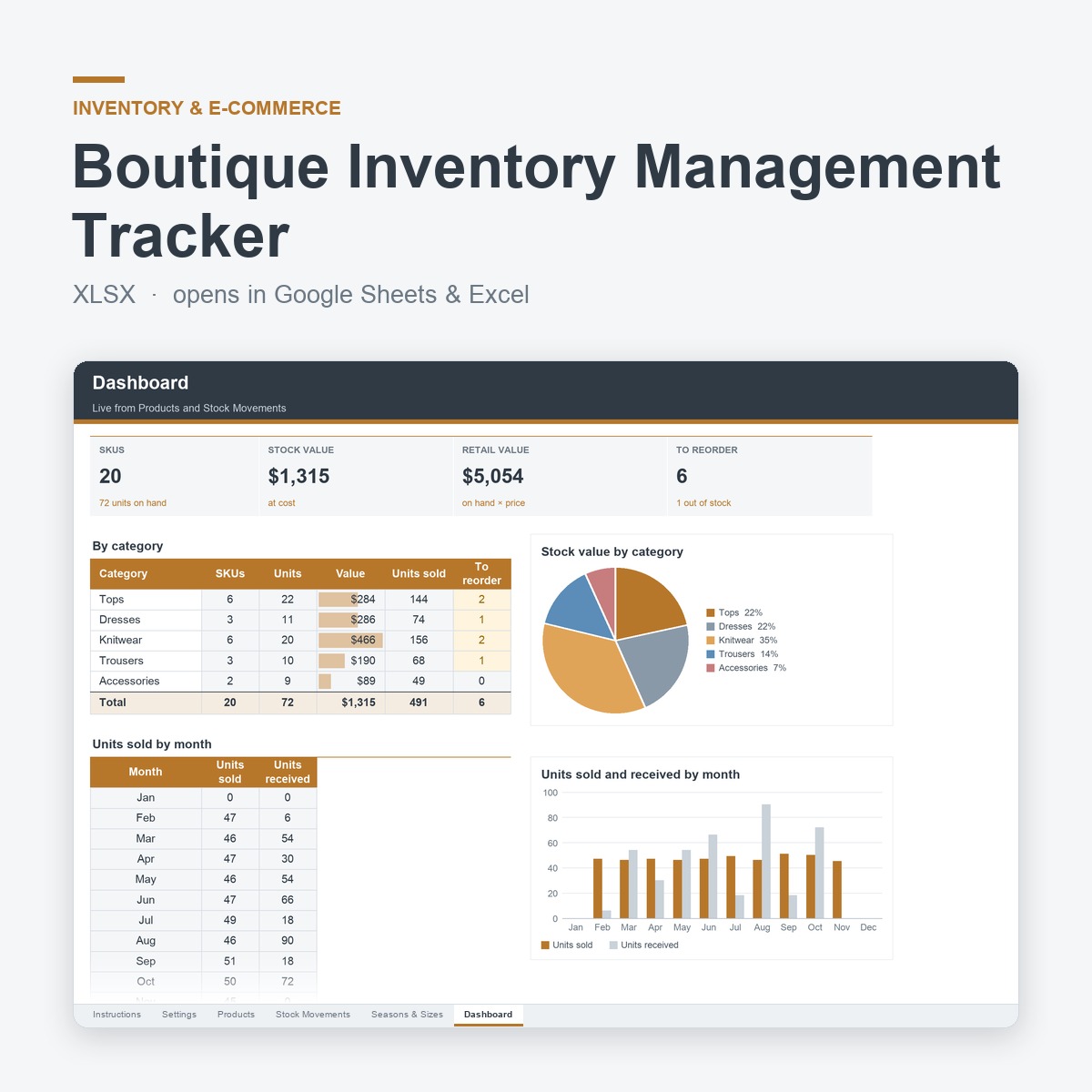
- Dashboard: KPI tiles, category table, monthly units sold and received, and charts
Sample data only. Download the XLSX and import it into Google Sheets (File → Import) or open it in Excel.
What's included
- MVGS-0190_boutique-inventory-management-tracker.xlsx (6 tabs: Instructions, Settings, Products, Stock Movements, Seasons & Sizes, Dashboard)
- README.txt (import steps for Google Sheets and Excel, tab guide, license)
Delivered instantly as a download after purchase (ZIP, 49 KB)
Free preview
License: Personal use only. Don't resell or share the files.
Returns: Final sale. If the file is missing, won't open in the advertised format or isn't as described, report it within 30 days of purchase and the seller sends a working file within 5 business days or refunds you.
Interested? Ask the seller
Send a message and Sheet Experts will reply by email to arrange your order.
Reviews
No reviews yet. Buyers can review this product from their order page after buying.